
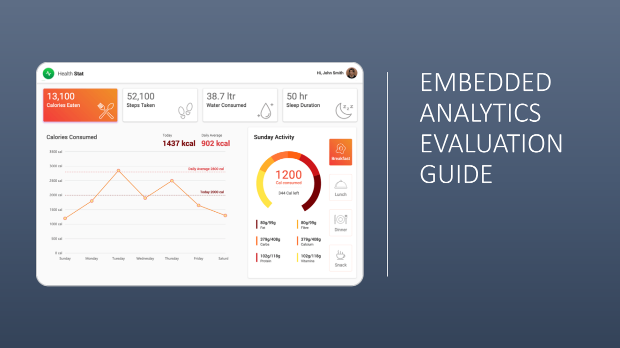

Your customers want to explore their data inside your product, not export it to a spreadsheet or open a separate BI tool. Delivering that means choosing an embedded analytics platform, and every vendor demo looks polished. The hard part is knowing which differences will matter once analytics runs inside your application, in front of your users, under your brand. This free embedded analytics evaluation guide is written to help you make that call with fewer surprises.
It's aimed at technical and business evaluators alike: product managers, engineering leads and the people who sign the contract. No prior analytics background is assumed. Technical points are explained in plain terms, so a mixed buying team can work from the same set of questions.
How to tell whether embedded BI is the right fit
Embedded analytics is not the answer to every analytics need, and the guide says so plainly. It walks through five common scenarios and shows where embedding pays off and where a stand-alone tool such as Power BI or Tableau is the better choice. The scenarios include SaaS vendors, software companies that ship to customers, internal deployments of different sizes, and small teams of specialist analysts.
If you're building an internal business case, this section helps you answer the first question your finance or IT lead will ask: why not just buy a stand-alone license?
What the embedded analytics evaluation guide covers on the technical side
Most analytics tools can be embedded in some way. Products designed for embedding make it far easier, and the guide explains where that difference shows up. You'll come away understanding:
- How API coverage, event support and embeddable visual designers affect whether analytics feels like a native part of your app
- The trade-offs of control embedding vs iframe for performance, security and styling
- How the two main data access models differ, and what each asks of your team
- What multitenant analytics, theming and white-label analytics involve so the product looks entirely like yours
- Deployment questions around scaling, containers, cloud neutrality, vendor hosting and redistribution rights
It also covers authentication and single sign-on, responsive layouts, export quality, globalization, machine learning integration and the role of a separate reporting system. Along the way, it flags things to test during a trial rather than take on trust. One is a security shortcut some embedding approaches use that can create serious exposure. Another is machine learning support that sounds impressive on a feature list but may not hold up in production.
Embedded analytics pricing and licensing questions to ask early
A low starting price can look very different once you plan for your full user base. The guide outlines the common embedded analytics pricing models and explains why products built for embedding usually price differently from stand-alone tools. It then sets perpetual and subscription analytics licensing side by side, with prompts to weigh long-term cost against your product lifecycle. For hosted and multitenant setups, it points out where quotes can change and what to confirm before you commit.
The final section turns to vendor support. You'll see how to judge a vendor's responsiveness during evaluation, what to clarify about included versus paid help, and how compliance responsibilities for standards such as SOC 2, HIPAA and GDPR can shift depending on who hosts the analytics server.
Vendor-neutral by design
The guide was produced by Syncfusion, maker of the Bold BI embedded analytics platform, but it is deliberately not about Bold BI. It describes what to look for in any provider, so you can apply it to every vendor on your shortlist and hold each one to the same standard.
Download the full Embedded Analytics Evaluation Guide to get the use-case breakdown, the feature-by-feature evaluation questions, and the pricing and licensing comparisons you can take straight into vendor calls. Use it to shape your shortlist, run sharper demos and back up your business case.