
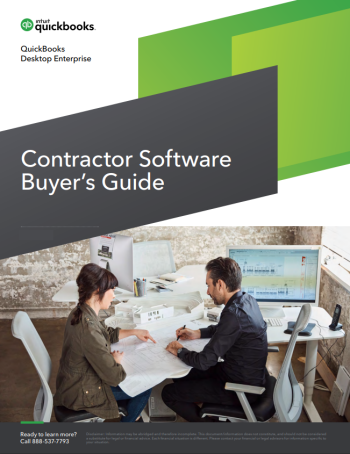
Choosing construction software when growth outpaces your systems
Contractors rarely get to choose when growth arrives. A few big bids land at once, field crews start running from job site to job site, delayed projects restart without warning, and the job costing spreadsheet that worked fine a few years ago starts to buckle. If you're weighing new construction software to regain control before that growth eats into your margins, this buyer's guide from QuickBooks was written with your situation in mind.
It speaks to established contractors: companies with a steady flow of projects that are now asking how to grow revenue several times over without the wheels coming off. You may have a hunch that some jobs aren't making money but no clean way to prove it. You may be spending more time chasing numbers than chasing bids. Those are the problems this guide sets out to help you solve.
Why revenue growth doesn't always reach the bottom line
The guide opens with a real case: a New Orleans steel fabrication contractor whose rapid growth came with real growing pains. Overtime became routine, the fabrication shop ran at full capacity, and there was never time to put cost and overhead controls in place. Profits suffered as a result.
From there, you'll see the common reasons contractor growth turns into overexpansion, where revenue climbs and profit doesn't follow. The guide looks at how weak job cost tracking lets expenses slip through unnoticed, why cash flow management depends on forward-looking projections and disciplined collections, and how bad bookkeeping habits quietly undermine your financial statements. It also explains why fixing these issues in the middle of a growth spurt is far harder than fixing them beforehand.
Business management software or an all-in-one ERP
For most contractors ready to upgrade, the decision comes down to two paths: best-in-breed business management software that connects with the tools you already use, or an enterprise resource planning (ERP) system that tries to do everything. The guide lays out the tradeoffs plainly. You'll learn what drives ERP costs beyond the software itself, why implementations tend to run long, and which modules contractors often end up paying for without needing them.
You'll also hear from the CEO of the steel fabrication company about what happened when she asked an ERP salesperson about implementation costs. Her reaction is one many contractors will recognize.
Six questions to settle before you start shopping
The most practical part of the guide is a set of six questions to answer internally, with input from the right stakeholders, before you talk to a single vendor. Getting those answers early makes it easier to compare options, spot bloated feature sets, and win buy-in from the people who will actually use the system. After reading, you'll be ready to:
- Define the specific jobs your software needs to handle, from job costing and payroll to project scheduling and reporting
- Judge whether a system can scale with your one-year and five-year plans
- Decide between cloud-based and self-hosted deployment based on your IT setup and data security needs
- Assess how well a tool supports crews and project managers in the field
- Build a realistic budget that accounts for hidden costs, plus the time and staff needed for implementation and training
The guide pays particular attention to advanced reporting, which established contractors usually need once default templates stop answering their questions. You'll see why customizable reports matter for keeping job costs and cash flow in view as projects multiply, and how they cut down on manual entry and the errors that come with it.
Produced by Intuit's QuickBooks Desktop Enterprise team, the guide combines practical buying advice with the experience of a contractor that has relied on the same accounting platform for close to two decades, through busy years and lean ones. It also points you to a pricing calculator so you can estimate total cost for your own company quickly.
Download the Ultimate Contractor Software Buyer's Guide
Get the full guide to see the real-world contractor story, the complete comparison of business management software and ERP systems, and all six questions with the reasoning behind each one. It's a short, focused read you can share with your partners, your controller, and your project managers before your software search begins. Fill out the form to download your copy.